
Case Study
Inventory Shrink Reporting that counts before the count
Kawaii Slime Company × AUTOBIZZ
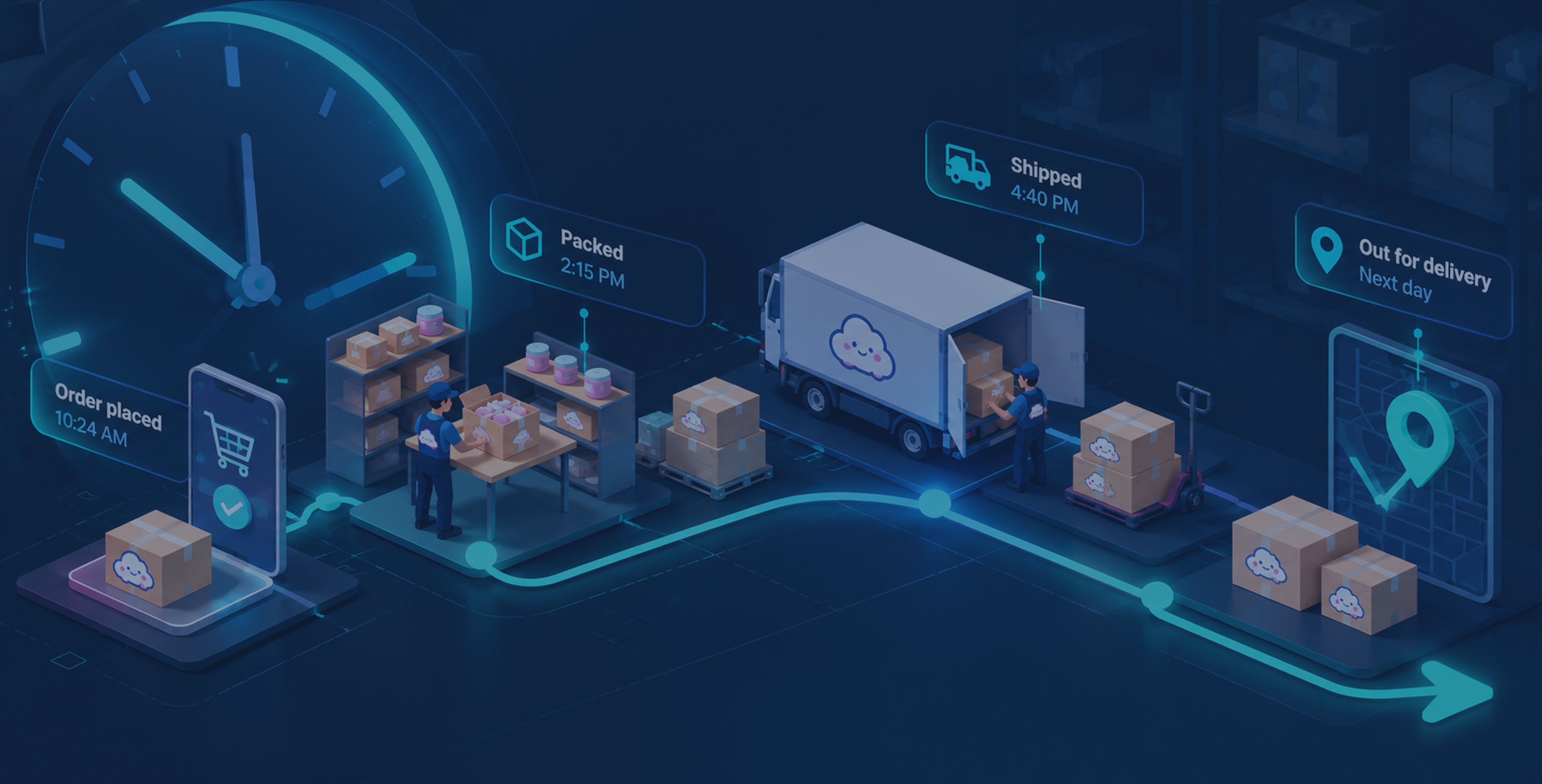
Sometimes, products were shown as in-stock but were physically missing, delaying fulfillment and making shrinkage difficult to identify. An automated shrink report was needed to quickly flag these discrepancies.
"Instead of discovering shrink through manual audits, the team now have an instant, reliable count the moment it finishes"
Client
Kawaii Slime Company (KSC)
Sector
E-commerce
Solution
Shrink Reporting & Inventory Management
Timeline
March 2026
AutoBizz gave Kawaii Slime Company a Shrink Number they could Trust and Act on.
AutoBizz built an automated shrink reporting system that pulls sales, purchases and Inventory data straight from Shopify, reconciles them against Actual counts in BigQuery, and turns five manual reconciliation steps into one consistent report. The result saves 5 hours of manual calculation of the team and lifted the order-flow upto 30% than before.
- Shopify Analytics
- BigQuery
- Excel online
- Microsoft Office Script
- ShopifyQL
- Inventory Reconciliation
The Situation
Orders were being missed, but the reasons were unclear
Stock was sometimes being shown as available when it was not. By the time the difference was noticed, an order could already have been affected.
Services We Provided
- Data Automation
- System Integration
- Custom Dashboard Development
Old Routine
- 01Reports showing products are in-stock, but actually products were out of stock already
- 02Many orders get stuck just because of products are not in stock but it was informed before
- 03Inventory miscalculations increased manual checks leading to increase operational cost
The same investigation had to be repeated: "What was sold? What was received? What should still be there?"
And most importantly: "Where did the difference begin?"

The Challenge
Every mismatch creates delay in order fulfillment
One mismatch was enough to slow everything down. Fulfillment could not move forward with confidence until the difference was understood.
- Products stock MismatchThe expected stock and the physical count did not always tell the same story.
- Shrink Was Easy to MissSmall inventory differences could go unnoticed until they started affecting orders.
- Build confusionSometimes unusual stock up down creates confusion on procurement chain.
- Orders Were Left WaitingUntil the stock difference was understood, the next step could not be taken with certainty.
- THE REAL COSTThe real loss was in orders that could not be fulfilled and money that could not be recovered until the shrink can be calculated correctly.
System Architecture
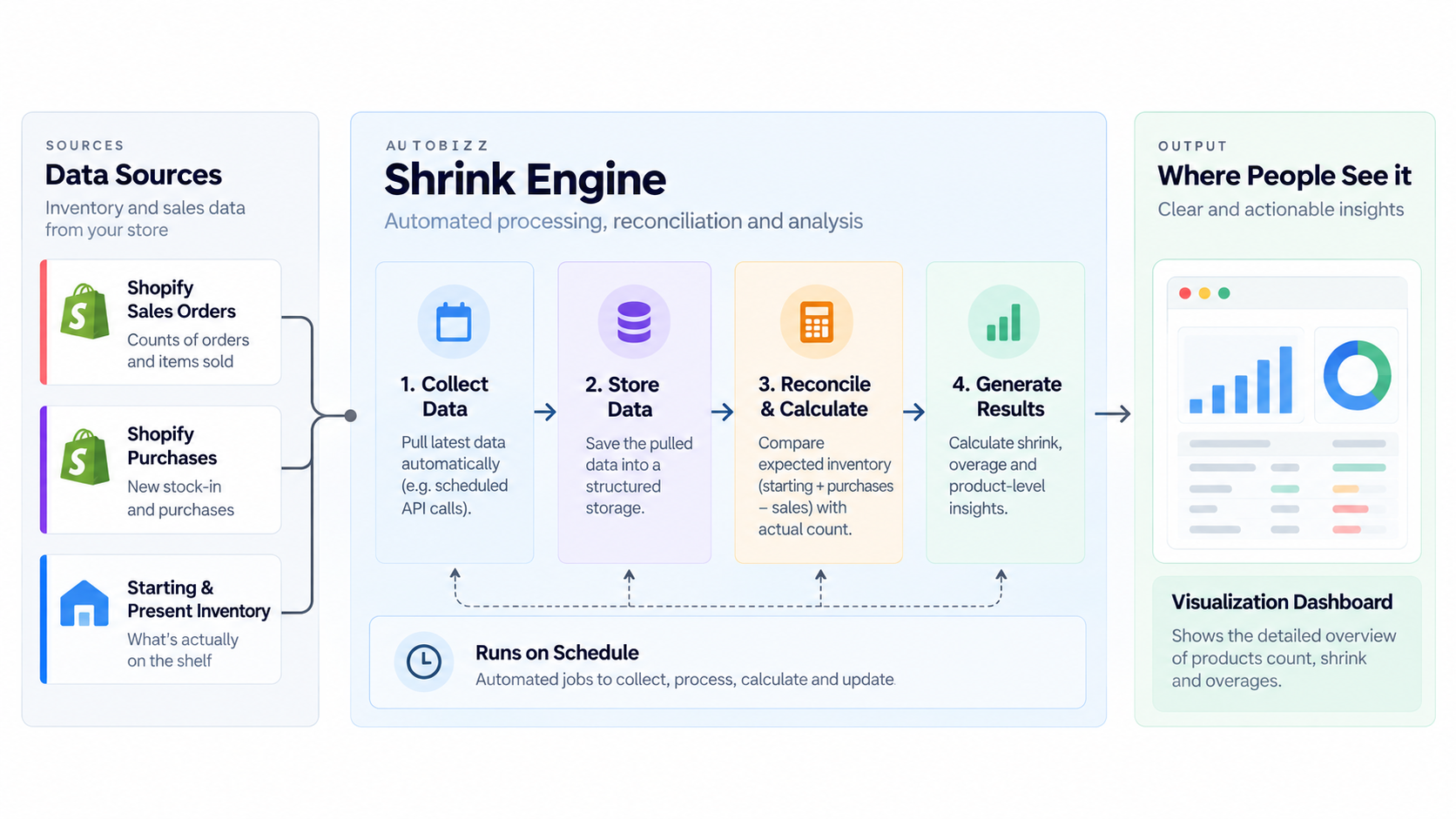
The System Design Board



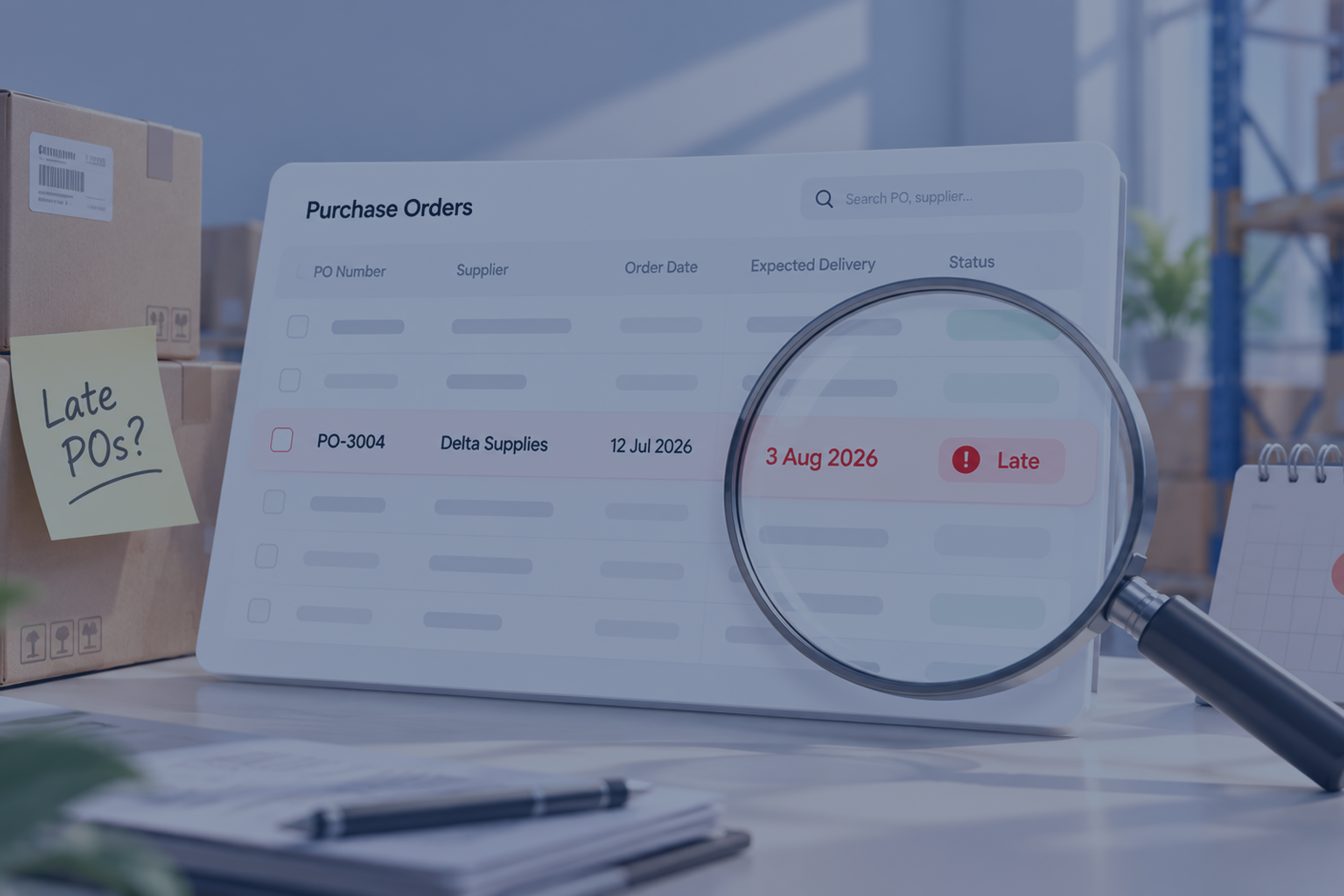
SEE THE DELAY BEFORE IT BECOMES A CUSTOMER PROBLEM
The Turning Point
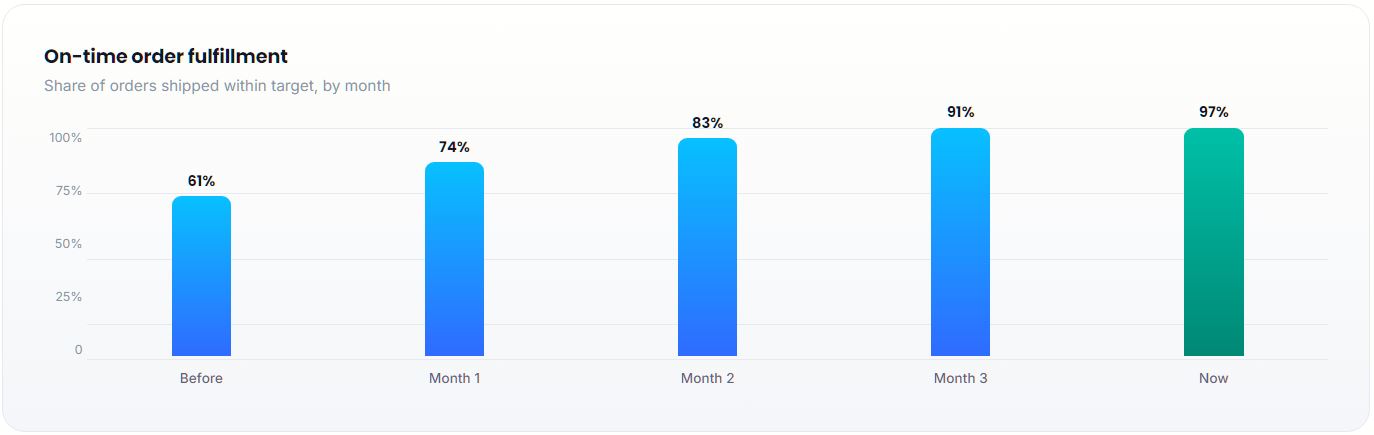
Orders now go out on time, and faster than ever.
As the numbers became more reliable, on-time orders started telling a different story improving month after month.
Interface Portfolio
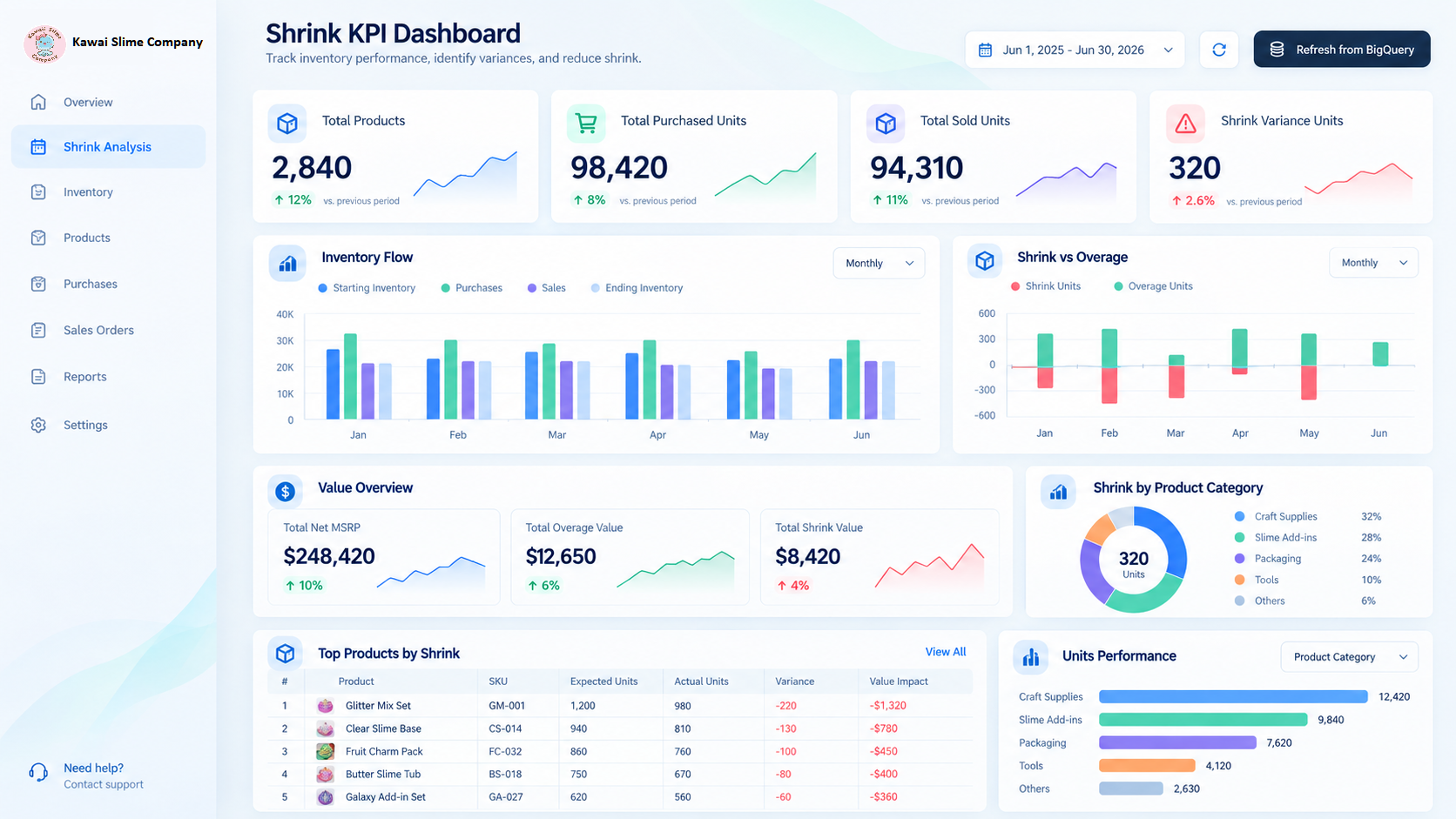
"Shrink" Finally Got Its Moment in the Spotlight
The Solution
Five manual steps, rebuilt as one automated workflow
The Shrink Report now automated five manual steps: pulling numbers, consolidating product history, calculating expected stock, reconciling physical counts, and generating the final report consistently, every time.
01
Automated Data Ingestion
The process starts by bringing the numbers in automatically. Sales, purchases, transfers, and other stock movements are collected without the team having to pull reports or rebuild the data every time.
02
Centralized Inventory Ledger
Once the data arrives, everything comes together in one place. Each product keeps its own history of what came in, what went out, and how its stock changed over time. So nothing gets lost between reports.
03
Expected Stock Calculation
With the full movement history, the system works out what should still be there. Every sale, transfer, and adjustment is accounted for, turning a long manual calculation into one consistent expected-stock figure.
04
Shrink & Overage Detection
When the physical count comes in, the system compares it against the expected stock. Missing and excess quantities are identified product by product, so no variance is overlooked.
05
Automated Shrink Reporting
Finally, the differences come together as the Product Shrink Report. Instead of rebuilding the analysis from scratch, the team gets a consistent view of missing stocks, rate of variance and where the difference began.
What Changed
From Inventory Confusion to Complete Clarity
Before
Now
Before
Facing difficulty to count product availability or shrink
Now
Product availability and shrink counted automatically
Before
Order fulfillment was unable to complete on time
Now
Accurate stock keeps order fulfillment on schedule
Before
Uncontrolled procurement chain
Now
Procurement guided by reconciled, trustworthy numbers
Before
No reliable, real-time view of what's the status of product shrink level
Now
Near real-time visibility into stock across every location
The Results
The results that moved the number
160
Units
PRODUCTS SAVED FROM MISCALCULATION & STOCK-OUT
59%
MORE ORDERS SHIPPING ON TIME
5 Hrs
OF TEAM SAVED EACH MONTH
2.4x
FASTER TO CLOSE AN ORDER
Recent Case Studies


References
Documentation this build relies on
- 01
Shopify API Documentation
The source for sales, purchase and transfer data the ledger is built from.
View Source - 02
Microsoft Excel Online
This platform is used for the user-side visualization and calculation.
View Source - 03
Google BigQuery Documentation
It has been used as store engine for the massive data coming from source.
View Source - 04
Microsoft Office Scripts Documentation
This documentation has been used for the Excel Online mapping layer.
View Source

Get Started
Ready to Get your Report Accurate?
If your team is still recounting stock by hand, or if your orders are stuck just because of not knowing the currect stock count, AutoBizz can eliminate the guesswork with one automated, reconciled report.
Frequently asked questions
Still have questions? Book a call and we'll answer anything.
What is automated shrink reporting?
Can shrink reporting integrate with Shopify and Excel?
How does automated shrink and overage detection work?
Does this work across multiple retail locations?
How much manual work does this typically remove?