Case Study
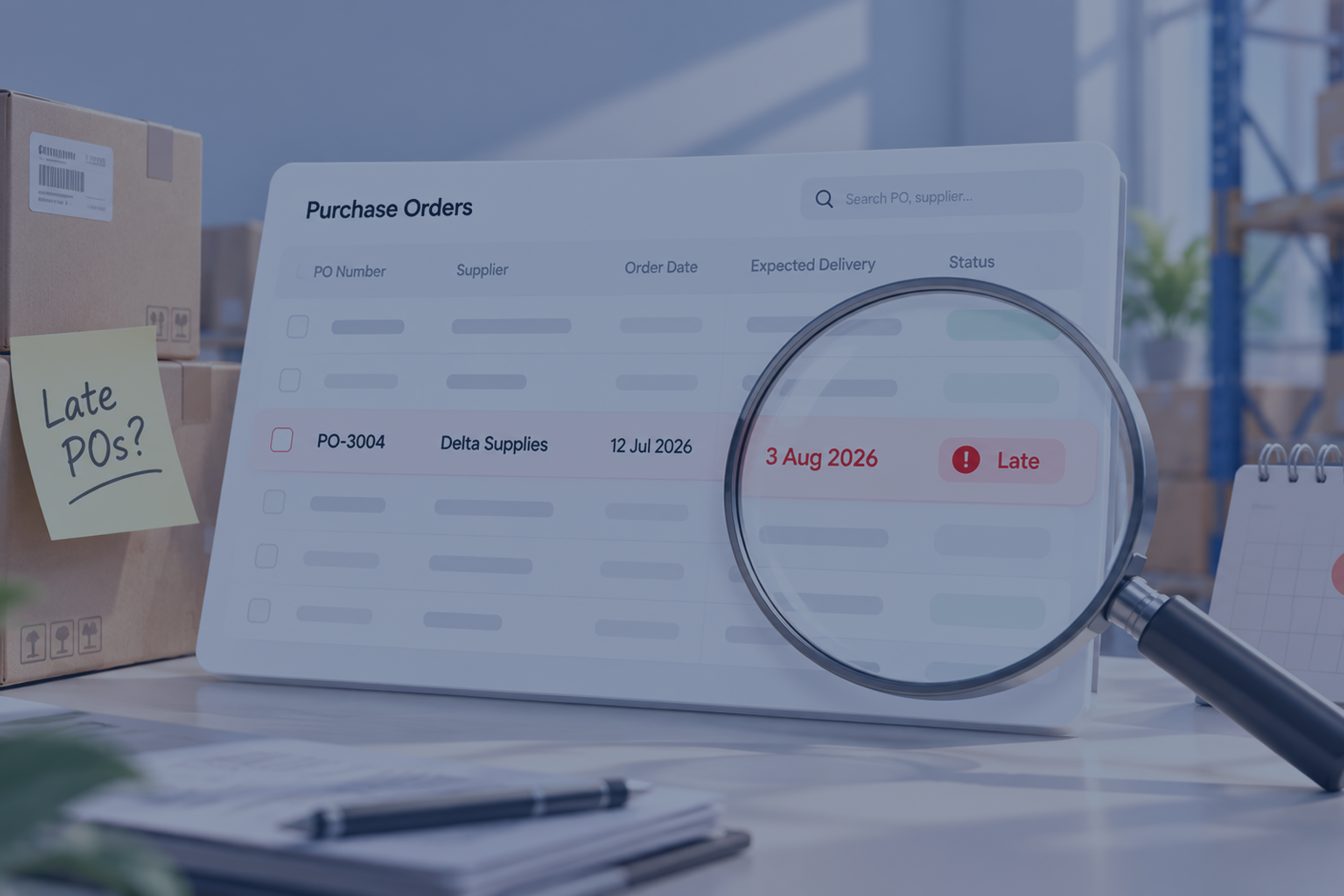
Late POs shouldn't hide in plain sight!
KAWAII SLIME COMPANY × AUTOBIZZ
KSC tracked every open purchase order in one shared Excel workbook. Keeping it current took a script and a person to run it, and a late order looked just like an on-time one. AutoBizz turned that workbook into a tracker that grades itself every day and reports to Slack every week.
“Automation applied to an efficient operation will magnify the efficiency”
BILL GATES, THE ROAD AHEAD
Client
Kawaii Slime Company
Sector
E-Commerce
Solution
PO Risk Tracking & Reporting
Timeline
May–Aug 2026
AutoBizz gave Kawaii Slime Company a view of every late PO and it's at-risk vendors, every single week.
AutoBizz built a scheduled sync that pulls KSC's purchase orders from BigQuery into their SharePoint workbook and grades every open order as On Track, Due this week, Late or Critical at 30+ days. Each week, Slack receives a PO health score, the top 5 vendors at risk and every overdue order with its reason. The first version went live in 2 days.
- BigQuery
- Microsoft Graph
- Excel Online
- Slack
- Google Cloud Run
- Node.js
The Situation
One workbook. Every order. No early warning.
Every KSC purchase order carries an in-hands date, a ship-by date and a cancel date. The team tracked them all in one SharePoint workbook, with their own notes on each row. The data was there but nobody had time to read it every day.
Services We Provided
- Workflow Automation
- Data Integration
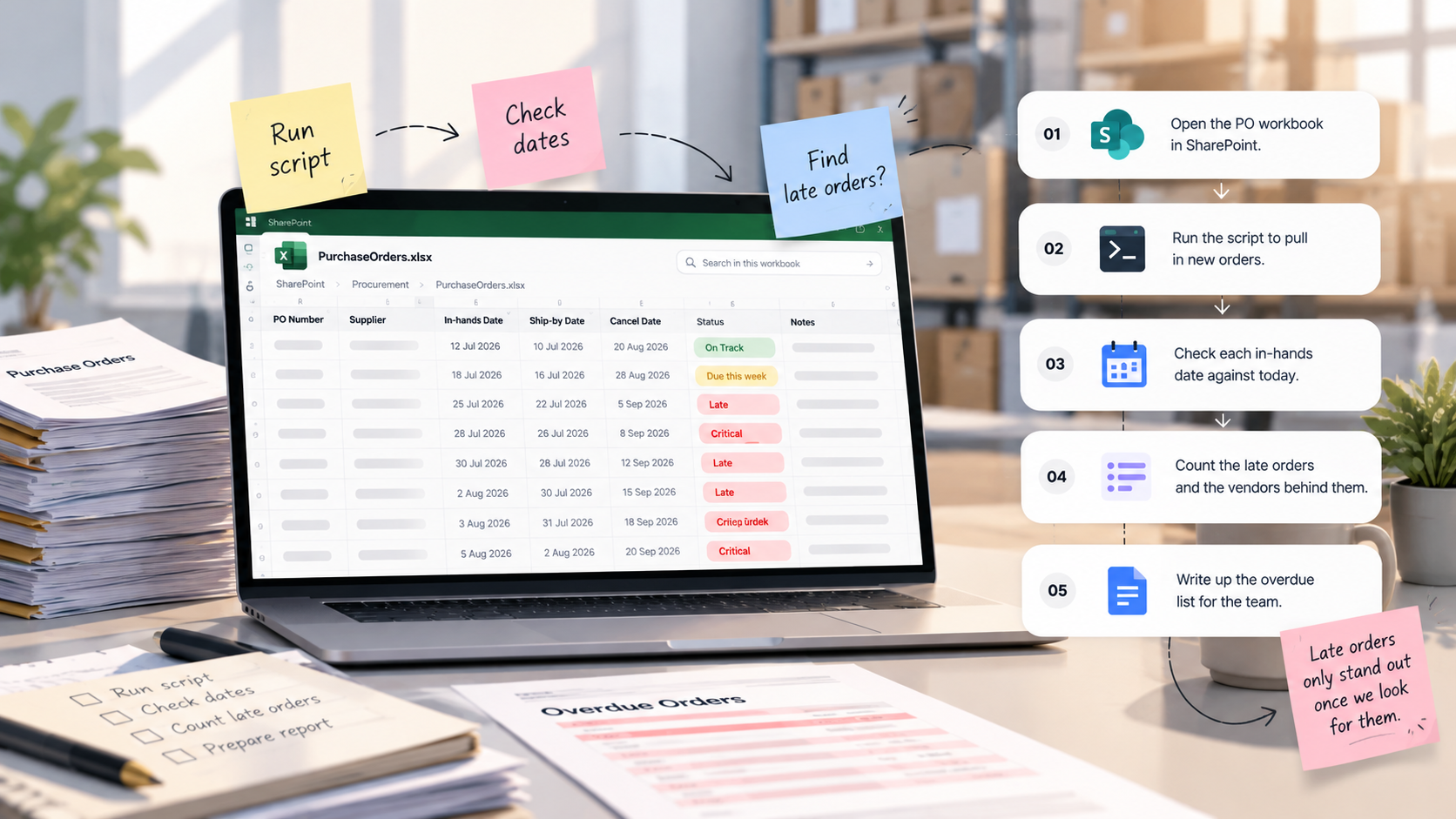
Old Routine
- 01Open the PO workbook in SharePoint.
- 02Run the script to pull in new orders.
- 03Check each in-hands date against today.
- 04Count the late orders and the vendors behind them.
- 05Write up the overdue list for the team.
Every update waited on someone finding the time, and a late order only stood out once somebody went looking.
‘A late PO is a phone call on day one and a lost order by its cancel date.’
The Challenge
Late orders stayed quiet until they became cancellations.
The gap between the in-hands date and the cancel date is when the team can still act. It was easy to miss.

- Day zeroA PO is raised with an in-hands date and a cancel date.
- Due this weekThe date is close, but nothing on the sheet says so.
- Days lateThe date passes. The row looks like every on-time order.
- Day 30The order turns critical, and the same vendor is slipping elsewhere.
- Cancel dateThe window closes on an order nobody flagged.
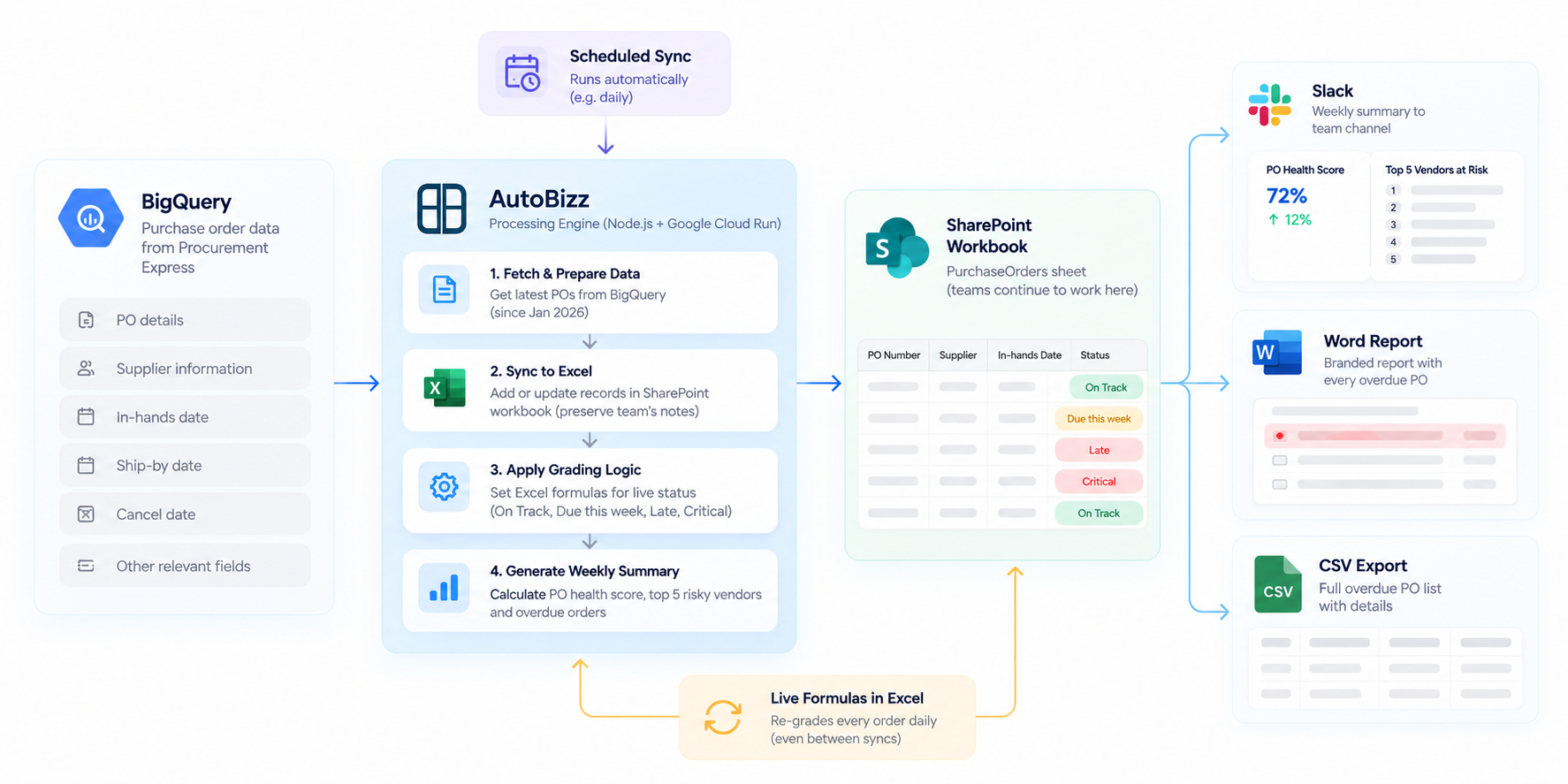
System Architecture
The System Design Board



THE SPREADSHEET STAYED. THE MANUAL WORK DID NOT.
The Turning Point
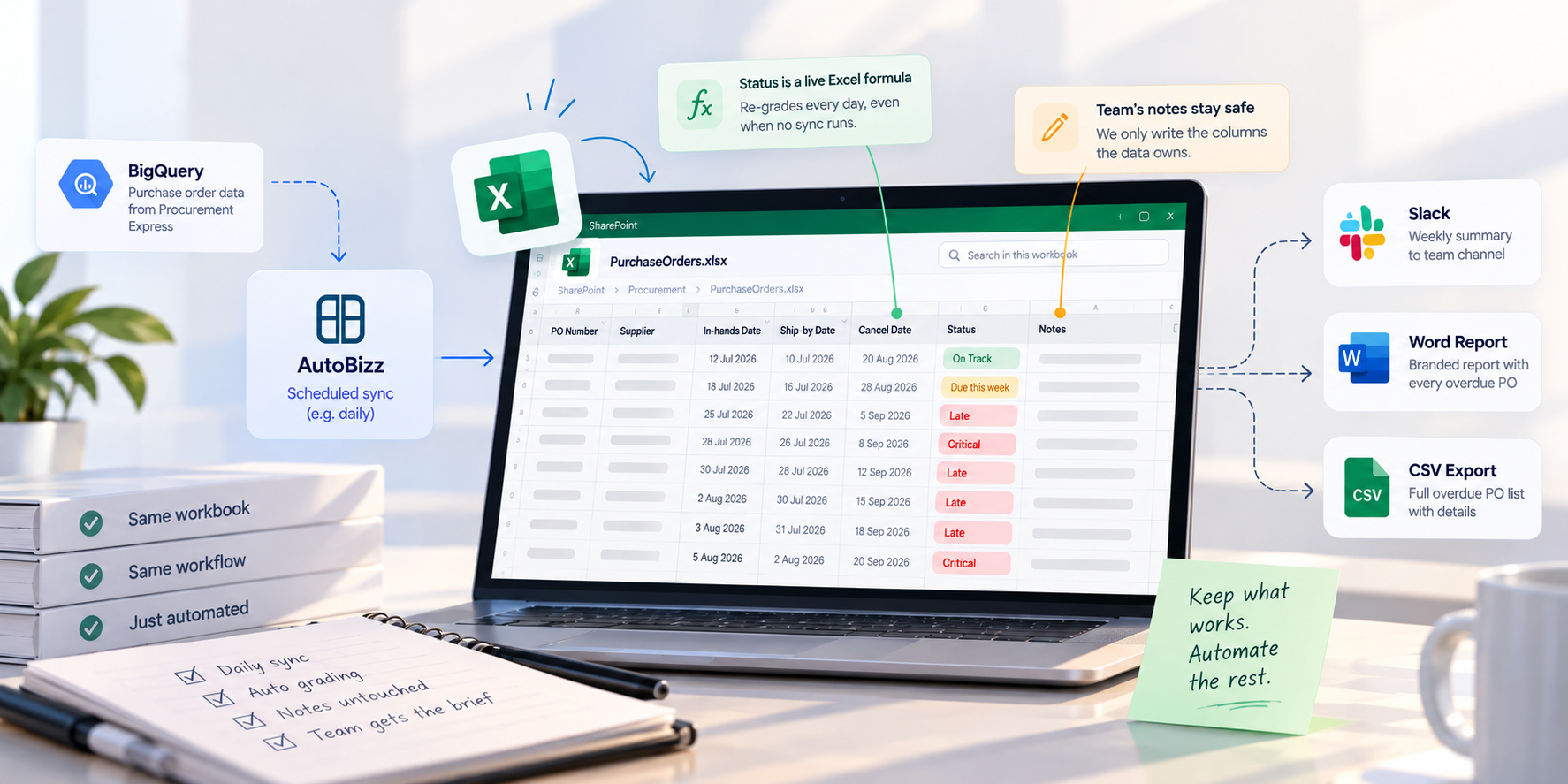
Keep the workbook. Automate around it.
The team already worked in that workbook, so AutoBizz kept it. The sync writes only the columns the data owns and never touches the team's notes. Shipment status is written as live Excel formulas, so every order re-grades itself each day, even when no sync runs.
The Solution
A tracker that updates itself and reports on its own
Seven parts turn raw PO data into one clear list of orders and vendors that need attention this week.
01
The Live Sync
BigQuery to Excel
Every PO since January 2026 is added or updated by PO number. The team's notes are never overwritten.
02
The Early Warning
Self-grading status
Each open order is graded On Track, Due this week, Late or Critical from its in-hands date, and re-graded every day.
03
The Watchlist
Top 5 vendor risk ranking
Ranks the five vendors with the most open, late and critical POs, with average days late. Refreshed on every sync.
04
The Weekly Brief
Slack summary
Totals, status counts, a PO health score, the vendor risk table and the three most overdue orders, posted to the team channel.
05
The Paper Trail
Word report and CSV
A branded Word report lists every overdue PO and why it is late, with orders 70+ days late shown in red. The full data comes as a CSV.
What Changed
From checking dates to reading the brief
Before
Now
Before
Updated when someone ran a script
Now
Syncs on a schedule, untouched
Before
Late orders found by eye
Now
Every open order graded daily
Before
No view of slipping vendors
Now
Top 5 vendors at risk, every sync
Before
Overdue list written by hand
Now
Report lands in Slack every week
The Results
The numbers the team now sees first
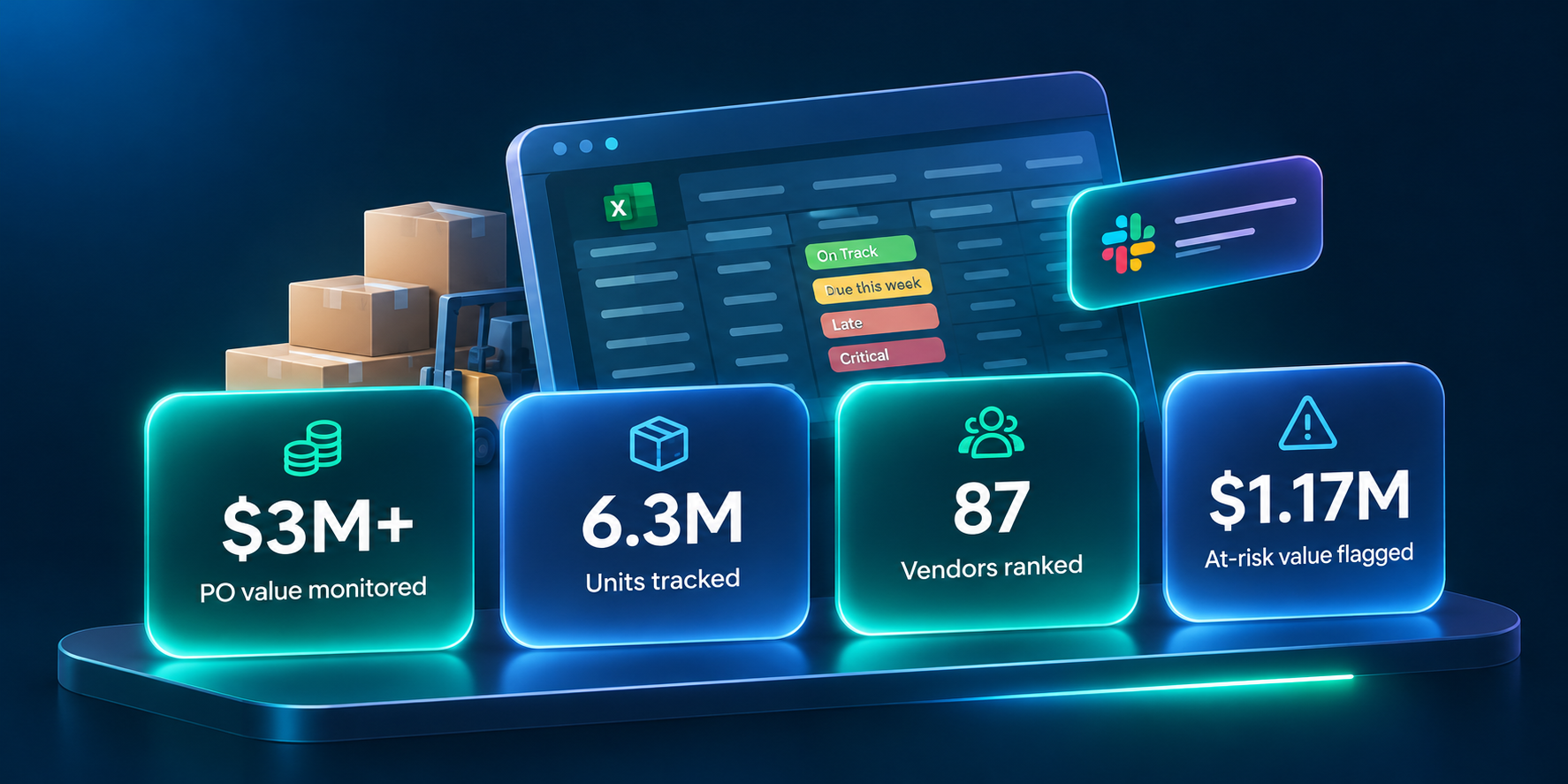
$3M+
PO value monitored
Every 2026 purchase order is tracked and graded each day.
6.3M
Units tracked
Every unit on order is visible from PO to delivery.
87
Vendors ranked
The riskiest suppliers rise to the top of the list every week.
$1.17M
At-risk value flagged
Late orders are surfaced while there's still time to act.
Recent Case Studies



References
Documentation this build relies on
- 01
Microsoft Graph Excel API
Reads and writes workbook values and formulas in SharePoint.
Microsoft Learn - 02
- 03
- 04

Get Started
Still finding late orders by hand?
Tell us where your PO data lives and where your team works. We'll connect the two and flag problems before the cancel date.
Frequently asked questions
Have a purchasing workflow like this? Book a call and we'll walk through it.
What is PO risk tracking?
Can you automate this without replacing our spreadsheet?
How does the system decide an order is late or critical?
What does the weekly Slack report include?
What happens if a sync fails?
How long does a build like this take?