Key Takeaways
- Manual Workflow
- Workflow Automation
- Business Bottleneck
- Centralized Dashboard
- Automated Data
- Sales & Orders
A business process doesn't become inefficient simply because it involves a spreadsheet. It becomes inefficient when people have to continuously collect, update, check, and communicate information just to keep the operation running.
As businesses grow, this happens surprisingly often. A process that worked perfectly with a small number of orders can become difficult to manage when more products are added, more suppliers are involved, more orders need to be tracked, and more people gets involved into the chain, over time. This is a common problem in growing businesses.
We encountered exactly this situation while working with an e-commerce business whose procurement operation relied heavily on manually maintained data.
“A bad system will beat a good person every time.”
— W. Edwards Deming
The problem wasn't that the people managing the process weren't capable. The workflow itself was asking them to do too much repetitive work.
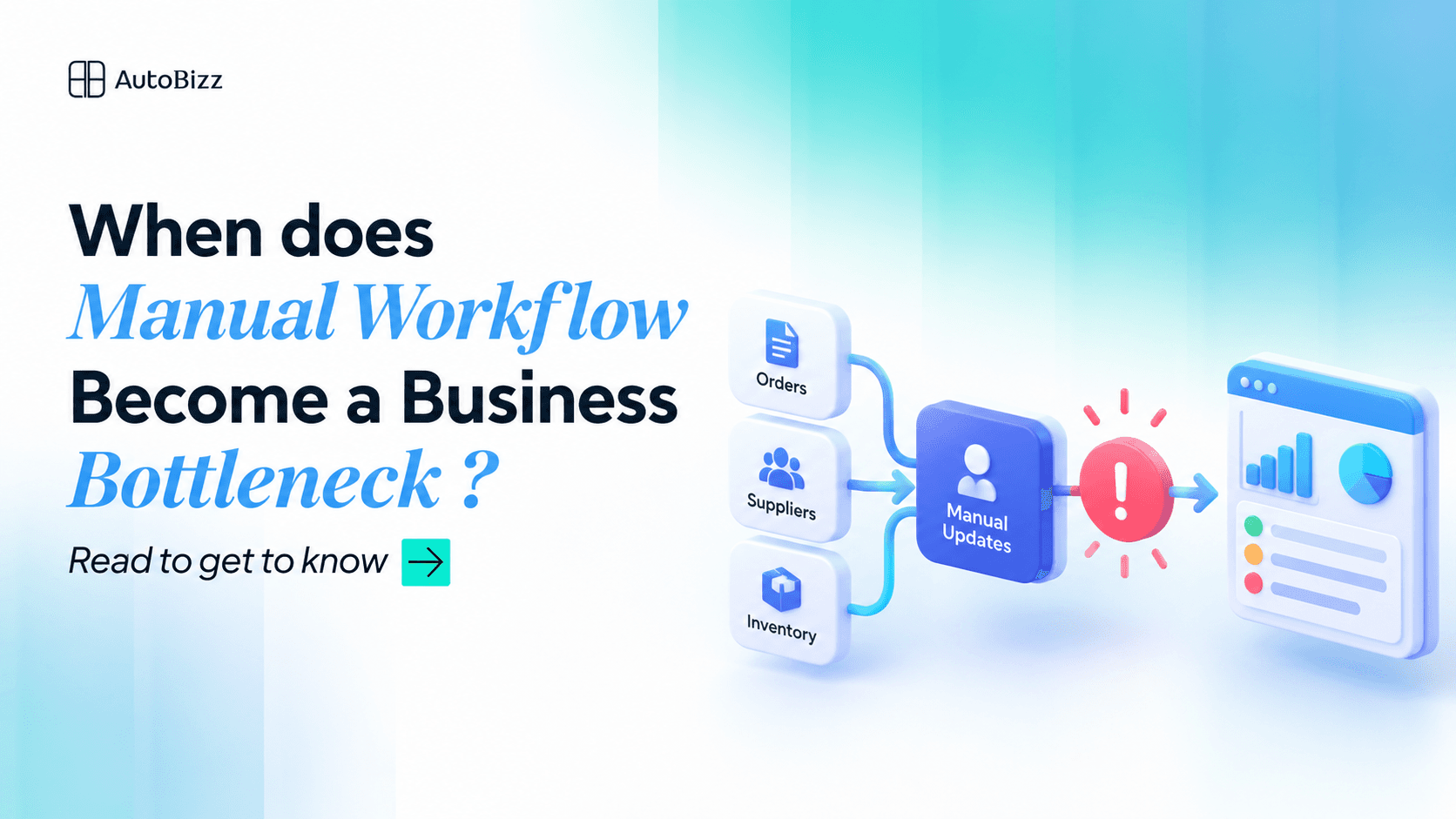
When a Manual Workflow Becomes the Problem
The business was managing purchase orders, supplier information, shipment dates, and procurement updates through a centralized spreadsheet. At first, the pipeline was working fine, but it was requiring considerable manual effort.
Someone had to regularly collect information from different sources, update records, follow up on supplier changes, and make sure everyone was working with the latest information. But as the business grew, this created several problems, like:
A large amount of time was spent updating information instead of acting on it.
Important changes could easily get buried among hundreds or thousands of records.
The procurement team had to repeatedly search the spreadsheet to understand what needed attention.
Other teams depended on the person maintaining the spreadsheet to get the latest information.
The workflow became increasingly dependent on one person's knowledge and daily maintenance.
The spreadsheet itself wasn't necessarily the problem. The process surrounding it was.
How Do You Know When Your Workflow has become a Bottleneck?
Before introduction any solution, it's worth asking whether the current workflow has actually reached its limits or not. Here are some common warning signs:
1. One person knows how everything works
If only one person knows where the information comes from, what needs to be updated, and how the process should be maintained, you have a knowledge dependency.
2. People keep asking for the latest information
If employees regularly ask, "What's the latest status?" or "Has this been updated yet?", — it might mean that the information may not be flowing efficiently through the business.
3. The same information is entered repeatedly
Copying information from one system into another, manually updating statuses, preparing reports, or repeatedly organizing the same data are strong candidates for automation.
4. Finding information takes longer than using it
Having all the information doesn't necessarily mean having good visibility. If employees need to search through hundreds or thousands of records to find the few items that require attention, the system workflow is creating unnecessary work.
5. Growth means more manual work
If doubling the number of orders also means roughly doubling the amount of manual effort required to manage them, the process isn't scaling.
This is perhaps the biggest warning sign.
Think Twice, Automate Once
When we looked at the client's workflow, one option would have been to make the existing spreadsheet more sophisticated.
But that would have addressed the symptom rather than the cause.
Instead, we asked a more fundamental question:
Why should someone manually maintain information that already exists somewhere else?
That changed our approach.
We automated the flow of information from the client's existing sources and created a centralized procurement dashboard for monitoring the operation.
The workflow became:
Existing Data Sources → Automated Data Processing → Centralized Dashboard → TeamInstead of repeatedly collecting, copying, organizing, and updating information, the system handled much of that repetitive work automatically.
The team could then focus on what actually required human attention.
Where Automation Made the Difference
The dashboard provided visibility, but automation made that visibility sustainable.
Data was collected from the client's existing sources, processed, and prepared for the dashboard without requiring the team to manually repeat the same tasks. This created an important shift.
Before
Find the data → Understand the data → Decide what needs attentionAfter
See what needs attention → Investigate → Take actionThe goal of automation isn't to remove people from a process. It's to remove the work that doesn't need their constant attention.
Outcome: Less Maintenance, More Visibility
After implementing the automated workflow and centralized dashboard, the client no longer needed to depend on the same level of manual maintenance.
The team gained:
Centralized visibility into procurement operations
Less repetitive data entry
Faster identification of issues
Easier monitoring of suppliers and orders
Reduced dependency on a single person
More time to focus on procurement decisions
The biggest improvement wasn't the dashboard itself.
It was the change in how the team worked. Previously, they had to work through the data to understand the operation. Now, the system helped surface the information they needed to understand the operation. That difference saved time and made the process much easier to manage.
And most importantly, the client was happy because the solution addressed the operational pain they were experiencing—not just the appearance of their existing data.
The Lesson
Manual work isn't automatically always bad.
The problem begins when a business keeps adding more data, more orders, more suppliers, and more responsibilities to a workflow that depends on people repeatedly doing the same tasks.
If your team spends more time maintaining information than using it, it may be time to rethink the workflow.
The answer isn't always a complicated new system. Sometimes, the biggest improvement comes from three simple principles:
Automate what is repetitive.
Centralize what is fragmented.
Visualize what requires attention.
When those three things work together, a manual operation can become a much more scalable and manageable business workflow.
Frequently Asked Questions
When should a business consider automating a workflow?
Does automation mean removing people from the process?
What makes an operational dashboard useful?
Can a dashboard solve a bad workflow?
If you have questions, contact us. Email at support@autobizz.com.